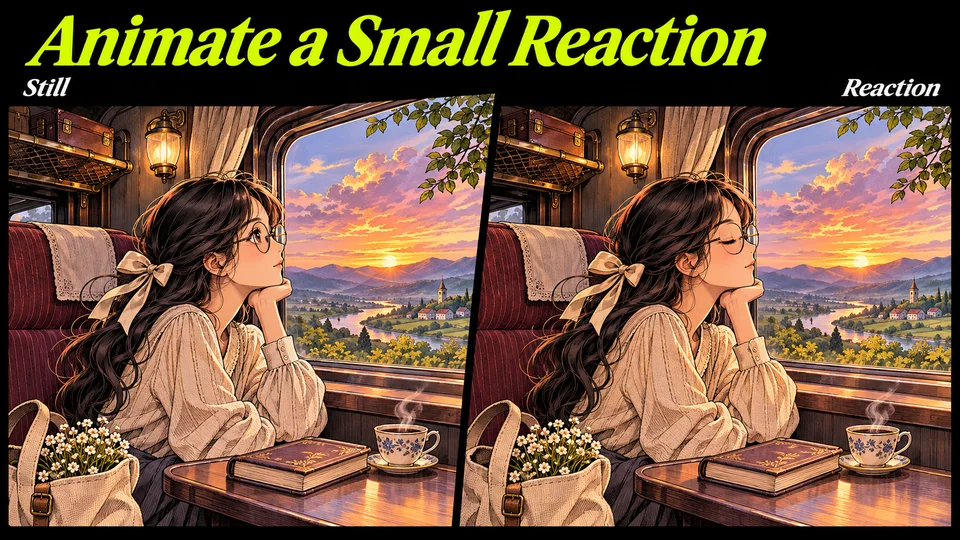
Animate a small reaction
Bring your brief and references into one workspace. Check the quote before generating, review the result, and decide which shot to develop next.
Try this model
Automatic aspect ratio
The model or reference image determines the frame.
Your video will appear here
480pCreate with Seedance 2 Mini on HHGen for subtle photo motion, product showcases and social clips. Describe the shot and add references in a mode that supports them.
Bring your brief and references into one workspace. Check the quote before generating, review the result, and decide which shot to develop next.

Illustrated workflow
Bring your brief and references into one workspace. Check the quote before generating, review the result, and decide which shot to develop next.
Try this model
| Model | Typical task | Input modes | Resolution | Duration |
|---|---|---|---|---|
Current modelSeedance 2 Mini | Animate a small reaction | Text-to-Video / Image-to-Video / Video-to-Video | 480p / 720p | 4–15 sec |
| Plan action and sound together | Text-to-Video / Image-to-Video / Video-to-Video | 480p / 720p | 4–15 sec | |
| Build a short story beat | Text-to-Video / Image-to-Video / Reference-to-Video / Video-to-Video | 480p / 720p / 1080p | 4 sec / 5 sec / 6 sec / 8 sec / 10 sec / 12 sec / 15 sec / 20 sec / 25 sec / 30 sec |
Open this page’s generator and check that Seedance 2 Mini is selected.
Text-to-Video / Image-to-Video / Video-to-VideoChoose a supported input mode. If it uses a reference, add a clear source and decide what to keep.
The illustrated character in the reference blinks gently. Keep the head and body in the original pose, camera locked, background unchanged, no additional characters.
Write the result you want, review the settings and credit estimate, then generate.
Seedance 2 Mini Online Video Generator FAQ
Photo micro-movements: Move hair, water or a curtain gently while keeping the main subject and setting steady.
Product motion assets: Let soft light travel across a stationary object. Check the label and silhouette before publishing.
Animated character reactions: Try a blink or nod for an illustrated character. Use a separate converter if you need a GIF.
Use the original illustration as the opening image. Specify a blink, a slight nod or another small reaction. Hold the pose and ask to preserve the lines, colors and background.
Start from a clear product image. Ask for a locked camera and a single highlight moving across a specific surface. Check the label and silhouette throughout the shot.
Pick one detail, such as hair, a curtain or a reflection. Ask for a locked camera and specify what should stay still. Reduce the range of movement if edges start to warp.
Choose the vertical framing in the generator if it is available in your mode. Keep the subject’s important movement near the center and leave a margin for captions or interface overlays.
Check the sound option in the selected mode. If the result includes sound you do not need, mute or replace the audio track after downloading.
Try Mini for a small movement, Fast for comparing framing, 2.0 for a shot built around motion and sound, and 2.5 for a brief with several reference roles. If a particular input or output matters, check the generator before choosing.
Keep one prompt and the same opening material for your first pass. Choose a duration and framing offered by the generator. Before making each new version, check the credit estimate beside Generate.